OBD2 Scanners Explained How To Diagnose Your Car Using Your Phone
Car accessories
|
March 30, 2026
Dealerships charge $150 just to read a check engine light that a $30 Bluetooth adapter can decode in 45 seconds using your smartphone. That price gap alone makes learning how to use an OBD2 scanner one of the most financially sensible things any car owner can do.
This is genuinely accessible technology requiring zero mechanical background. If you can install an app and plug in a USB device, you can read, interpret, and act on your vehicle's diagnostic data without stepping inside a shop.
Find Your OBD2 Port Quickly
Every vehicle sold in the United States after January 1996 has a standardized OBD2 port[1] built into it by federal mandate. Finding yours takes under two minutes. Sit in the driver's seat and check the area beneath the steering column. Most ports sit within 24 inches of the steering wheel, typically tucked just inside the knee panel on the driver's side.
Some manufacturers position ports behind small plastic covers or inside the center console on vehicles made between 1996 and 2003. If yours isn't immediately visible beneath the steering column, check along the dashboard edge between the steering column and driver's door. The connector has a distinctive trapezoid shape with 16 pins that's hard to confuse with anything else.
Locating your port before purchasing a scanner confirms compatibility and saves the frustration of buying a device and then spending 20 minutes hunting for where to plug it in.
Choose the Right OBD2 Scanner for Phone Diagnostics
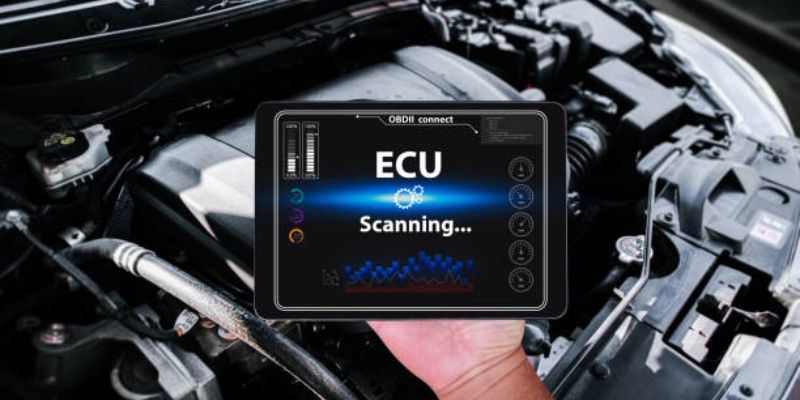
Bluetooth OBD2 scanners pair directly with Android and iOS apps. WiFi versions work similarly but maintain more stable connections with iPhones, which Apple's Bluetooth protocols sometimes restrict from communicating cleanly with third-party OBD2 adapters. If you use an iPhone, prioritize WiFi adapters specifically.
The FIXD Sensor costs $60 and targets drivers who want plain-language explanations rather than raw diagnostic codes. Its companion app translates codes into sentences explaining what failed, how serious the issue is, and what typical repair costs look like at local shops. For first-time users who find cryptic code lists intimidating, FIXD removes nearly all the friction.
The BlueDriver Bluetooth Professional OBDII Scan Tool costs $100 and reads manufacturer-specific codes that generic $20 adapters miss entirely. Generic adapters only access standardized OBD2 codes. BlueDriver accesses deeper system codes that your car's manufacturer programmed specifically, catching transmission, ABS, airbag, and HVAC faults that cheaper options report as "no codes found" while your check engine light burns steadily.
Budget Bluetooth adapters under $20 from brands like BAFX Products handle basic code reading adequately for simple check engine light situations. Expect limitations on enhanced code access and live data refresh rates. For occasional use on older vehicles, they work well enough. For regular monitoring on newer vehicles, investing in BlueDriver or FIXD pays back quickly.
Connect Your OBD2 Scanner to Your Phone
Start by downloading your chosen app before plugging in the scanner. FIXD uses its own proprietary app. BlueDriver requires the BlueDriver app. Generic adapters work with multiple apps including Torque Pro for Android at $5, OBD Fusion for $10 on both platforms, and the free Car Scanner ELM OBD2 app that handles most basic functions without any purchase.
Plug the scanner into your OBD2 port with the ignition off. The device typically powers on immediately from the port's constant 12V supply, indicated by an LED light. Enable Bluetooth or WiFi on your phone depending on your adapter type, then open the app and follow the pairing sequence, which usually takes under 90 seconds on first connection.
Once paired, turn your ignition to the "on" position without starting the engine. This powers all vehicle systems while keeping the engine off, allowing the scanner to communicate with every module. Some diagnostic functions require a running engine, but initial code reading works with ignition on and engine off.
Read Diagnostic Trouble Codes Correctly
The app displays Diagnostic Trouble Codes in a format combining one letter and four numbers. The letter identifies which system generated the fault. P codes cover powertrain issues including engine and transmission. B codes indicate body system faults. C codes point to chassis problems. U codes flag network communication errors between modules.
P0420 means catalyst efficiency below threshold, commonly indicating an aging catalytic converter or upstream oxygen sensor issue. P0300 indicates random multiple cylinder misfires. P0171 signals the engine running lean on bank one. These codes appear frequently enough that recognizing them immediately saves time spent looking up every unfamiliar sequence.
Pending codes appear when a fault occurred once but hasn't repeated enough times for the system to illuminate your check engine light. Confirmed codes triggered the warning light. Permanent codes remain stored even after clearing until the vehicle's own diagnostic cycle confirms the repair actually fixed the underlying problem.
Interpret Live Data From Your Vehicle
Live data streams represent the most powerful feature most drivers never use. Beyond reading stored fault codes, OBD2 scanners[2] access real-time sensor readings updating continuously while your engine runs. Engine coolant temperature, fuel trim values, oxygen sensor voltage, throttle position, and mass airflow readings all display simultaneously.
Fuel trim values reveal whether your engine runs rich or lean over time. Short-term fuel trim fluctuating between minus 10% and plus 10% indicates normal adaptive operation. Values consistently above plus 15% suggest a vacuum leak or failing mass airflow sensor. Values consistently below minus 15% suggest excessive fuel pressure or a leaking fuel injector stuck partially open.
Watching oxygen sensor voltage while driving tells you whether sensors respond correctly to throttle changes. A healthy upstream oxygen sensor oscillates between 0.1 and 0.9 volts rapidly. A sensor stuck at a constant voltage regardless of throttle position has failed and needs replacement, typically costing $80 to $150 in parts plus labor if you're not replacing it yourself.
Clear Codes and Understand What Happens Next
Clearing codes through your OBD2 scanner app resets the check engine light and erases stored fault codes from your vehicle's memory. This sounds straightforwardly useful but requires understanding one consequence: clearing codes also resets all readiness monitors, which are the self-tests your vehicle runs to confirm each system functions correctly.
Emissions testing stations check readiness monitor status before accepting a vehicle for inspection. A vehicle with recently cleared codes shows incomplete monitors and fails emissions testing even with zero current fault codes present. Drive normally for 50 to 100 miles after clearing codes to allow monitors to complete their cycles before scheduling any emissions test.
Clear codes only after actually addressing the underlying fault. Clearing a P0420 code without replacing the catalytic converter or oxygen sensor simply turns the light off temporarily. The code returns within days or weeks when the monitoring cycle runs again and confirms the fault still exists.
Use Freeze Frame Data to Diagnose Intermittent Problems
Freeze frame data captures a snapshot of all sensor readings at the exact moment a fault code triggered. This frozen picture of engine conditions tells you the engine temperature, vehicle speed, RPM, load percentage, and fuel system status at the precise instant something went wrong, which proves invaluable for diagnosing faults that don't happen consistently.
An intermittent misfire that only occurs during cold starts at temperatures below 40 degrees Fahrenheit shows up clearly in freeze frame data showing low coolant temperature at the time of the fault. That context immediately narrows the diagnosis toward cold-start fuel delivery or ignition timing rather than requiring guesswork about when and why the misfire occurred.
Access freeze frame data through the same code reading screen in most OBD2 apps. It displays alongside the associated trouble code and updates each time the same code triggers again, always reflecting the most recent occurrence rather than historical averages.
Use Your OBD2 Scanner Before Buying a Used Car
Bringing an OBD2 scanner to a used vehicle purchase inspection catches problems sellers intentionally hide or genuinely don't know exist. Plug in your adapter with the seller's permission and check for stored and pending codes before test driving. A vehicle recently cleared of codes shows incomplete readiness monitors, which is a red flag suggesting the seller erased known faults immediately before showing the car.
Request a 20-minute test drive minimum and monitor live data throughout. Watch coolant temperature to confirm the thermostat opens correctly at operating temperature. Check for misfires appearing in live data under acceleration that might not register as stored codes yet. Observe fuel trim values for signs of vacuum leaks or fuel delivery problems invisible during a brief static inspection.
The NHTSA vehicle history database[3] combined with OBD2 diagnostic data gives you both documented history and current mechanical status simultaneously. No used car purchase should happen without checking both sources, since a clean vehicle history report and a scanner showing pending codes tells a more complete story than either source alone.
Getting the Most Value From Your Phone-Based Diagnostics
OBD2 scanning via smartphone genuinely levels the information playing field between car owners and repair shops. Knowing exactly which codes your vehicle stores before walking into any dealership or independent shop prevents the markup that comes from letting technicians diagnose problems you already know the answer to.
Start with the FIXD Sensor at $60 if you want guided explanations rather than raw code data. Step up to BlueDriver at $100 if your vehicle is newer or you want deeper system access beyond basic powertrain codes. Download Car Scanner ELM OBD2 as a free secondary app alongside any paid option since its live data visualization tools complement most primary diagnostic apps effectively.
Scan your vehicle monthly even without warning lights present. Pending codes catch developing problems before they trigger dashboard warnings or strand you unexpectedly. The five minutes spent monthly running a quick scan can realistically save hundreds in repair costs by catching minor issues before they compound into expensive failures.
References
[1] National Highway Traffic Safety Administration – https://www.nhtsa.gov
[2] FIXD Official Website – https://www.fixdapp.com
[3] National Highway Traffic Safety Administration – https://www.nhtsa.gov
Related Posts

Sedan or SUV What You Need to Know Before Deciding in 2026

5 New Cars Under $30K That Actually Beat Luxury Models in 2026

Accessories That Prevent Car Theft Real Solutions That Actually Work

10 Must-Have Car Accessories for Rainy Season That Actually Keep You Safe

Luxury Looks, Affordable Price The Best New Cars You'll Love Driving in 2026